YouAnalytics / Combine multiple GA4 properties
How to combine multiple GA4 properties in one report
Google Analytics for multiple websites is easy to collect and hard to show in one place. There are three honest options. They are not interchangeable — unique users, a Looker blend, or summed totals in WordPress.
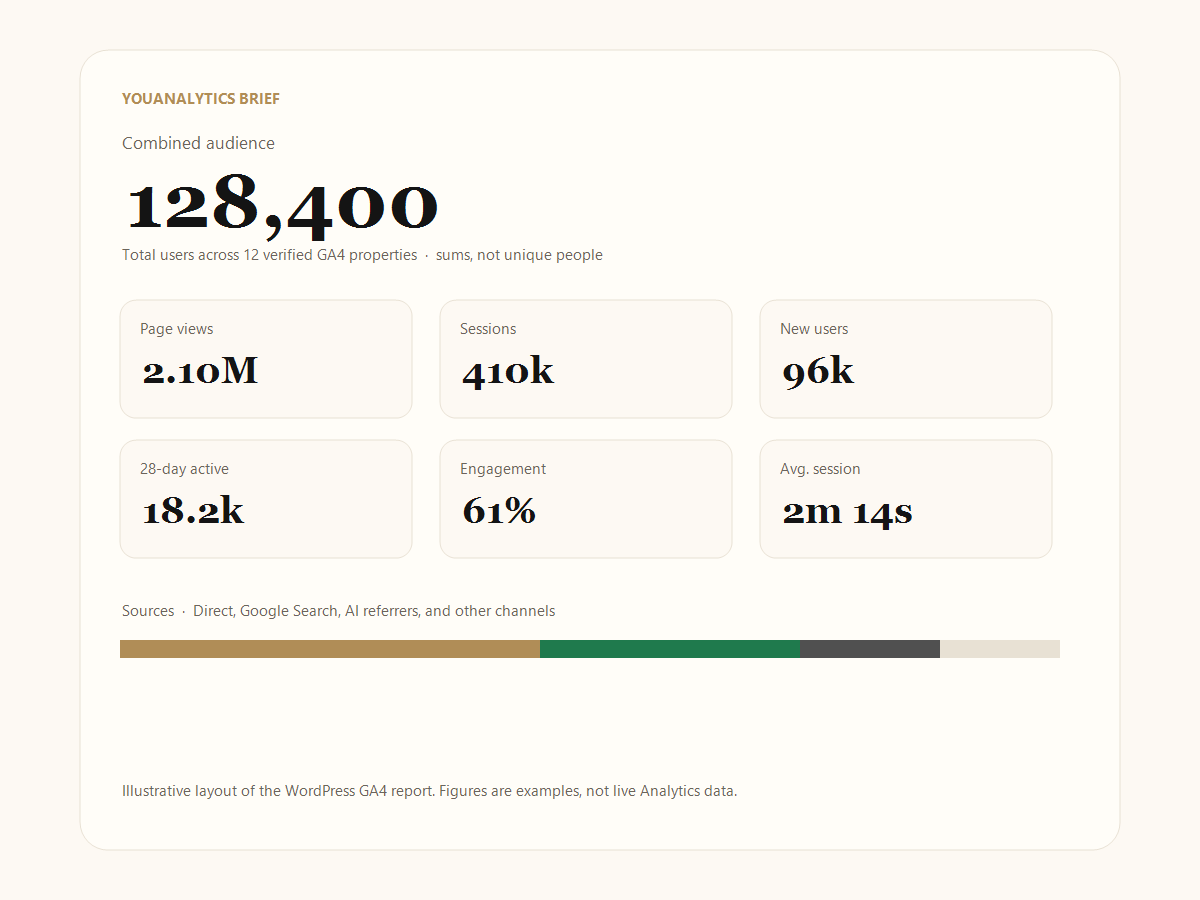
Key takeaways
- Three different “combine” products: 360 roll-up (unique users), Looker blends (often five GA4 sources), YouAnalytics (sums in WordPress).
- Users, page views, and sessions add. Engagement and average session are session-weighted.
- Never tick a roll-up property together with the children that feed it.
- A sum is the right headline for “how much traffic did this network get.” It is the wrong headline for “how many unique people.”
Google Analytics for multiple websites
Collection is per site: one tag, usually one GA4 property. Reporting across the portfolio is the hard part. People search for a multi property Google Analytics dashboard and then get three different products that all say “combine.”
Use this page to pick the method that matches the number you will put on a slide. If the slide says “unique users across our brands,” you need 360 (or a warehouse model). If the slide says “sum of each site’s users,” YouAnalytics is enough.
1. GA4 360 roll-up (unique users)
A GA4 roll-up property is Google’s native merge. When identity matches, users can be unique across the source properties. It requires Google Analytics 360. YouAnalytics is not that product.
Do I need Google Analytics 360 for roll-up reporting?
For Google’s native roll-up property, yes. YouAnalytics works on standard GA4 and does not replace 360 unique-user reporting. Calling it a Google Analytics 360 rollup alternative is only fair in one sense: you can still see summed totals without a 360 order. It is not fair if you need de-duplicated people.
2. Looker Studio (blend limits)
Does Looker Studio support more than five GA4 properties? Native blends are limited. Teams trying to combine many GA4 properties in one Looker file often hit a five-source blend cap, then export to BigQuery. That limit is a frequent complaint, including on Google’s developer discussion board.
YouAnalytics does not open a Looker file and does not load BigQuery. If you already live in Looker and have fewer than the blend cap, stay there. Use this plugin when you want the report inside WordPress without building a Looker blend.
3. YouAnalytics (sums in WordPress)
YouAnalytics produces one agency Google Analytics report in WordPress. It sums users, page views, sessions, and sources for the properties you tick. A person on two sites is counted twice. The brief says this.
Use it when you need a screenshot or PDF for investors or clients and you do not want to grant Google Analytics access. Setup: connect Google Analytics to WordPress.
Worked example: why the same person is counted twice
Why does Google Analytics count the same person twice on two sites? Each GA4 property is its own reporting universe. Cookies, device IDs, and Google signals do not automatically mean “one human across two properties” on standard GA4.
| Source | Users |
|---|---|
| Property A (site one) | 1,200 |
| Property B (site two) | 800 |
| YouAnalytics combined | 2,000 (sum) |
| Unique people if 300 used both | 1,700 (360 roll-up, when identity matches) |
How do I combine sessions from multiple websites? The same way: add each property’s sessions. Combined sessions are not unique sessions. Combined users are not unique users.
If a contract or investor memo needs unique people across brands, buy 360 or build a warehouse model. Do not screenshot YouAnalytics and call the headline unique users.
How to choose which GA4 properties to include
- Connect Google with read-only access on the WordPress site that will host the brief.
- Select accounts, then properties. Skip Google’s own roll-up and subproperties so those numbers are not counted twice.
- Leave out staging, old brands, and properties you cannot explain on a slide.
- Read figures. Failed properties show as unavailable — not as verified zeros.
- Open Brief. Optional PIN locks Last 28 days and property cards. Print or save PDF for a pitch deck.
Can I see all my websites’ analytics in one dashboard? In WordPress, yes — as this verified brief, refreshed from Google Analytics every six hours. It is not a replacement for the full GA4 UI. For adding the tag itself, see how to add Google Analytics to WordPress.
What is a GA4 property vs a data stream?
A property is the reporting container. A data stream is a web or app source inside that property (a website, an iOS app, an Android app). YouAnalytics reports at property level. If one property already has a web stream and an app stream, GA4 has already mixed those in that property — you do not pick streams separately in this plugin.
Do not tick a roll-up property and the source properties that feed it. You would add the same traffic twice.
How rates combine (engagement and average session)
Users, page views, sessions, and new users are straight sums. Engagement rate and average session duration are not. YouAnalytics weights them by sessions: a busy site moves the combined rate more than a quiet site. Averaging 40% and 80% as “60%” would be wrong if one property had 10,000 sessions and the other had 100.
Source mix uses the same idea: each bucket’s sessions are summed, then share is that bucket divided by combined sessions. The AI bucket is YouAnalytics grouping known AI hosts — not a native GA4 channel you will find under that name in the GA4 UI. More on presenting this: agency Google Analytics report.
When a sum is the right number — and when it is not
A sum is honest when the question is operational: “How many sessions did our five magazines generate this month?” or “How many page views did the portfolio produce?” Those questions want addition.
A sum is misleading when the question is reach: “How many unique people know our brand across all sites?” Overlap is real. Only a 360 roll-up (with matching identity) or a warehouse identity model answers that. Put the YouAnalytics disclaimer on the slide if you use the brief anyway.
Do not mix currencies of meaning on one slide: unique users from 360 on one brand and summed users from YouAnalytics on the others, then add those headlines.
Time zones when you add properties
Each GA4 property has its own reporting time zone. YouAnalytics asks the Data API for 28daysAgo → yesterday and 2015-08-14 → yesterday in that property’s zone, then adds the totals.
If one site is America/New_York and another is Asia/Kolkata, their “yesterday” is several hours apart. The combined “last 28 days” is therefore 28 complete days per property, not one shared midnight. Say that if a client compares the brief to a Looker file you built in a single zone. Unique-user roll-up in 360 uses Google’s own merge rules; it still does not magically put every property on your laptop’s clock.
The brief also excludes today. Do not stand in a 10:00 meeting, open Realtime, and expect YouAnalytics to match it. Details: what Lifetime and Last 28 days mean.
Frequently asked questions
What is a GA4 roll-up property?
Google’s native merge of several properties, including unique users when identity matches. It requires Google Analytics 360.
Does Looker Studio support more than five GA4 properties?
Native blends are limited (often five GA4 sources). Beyond that, teams typically use BigQuery. YouAnalytics does not use Looker Studio.
Why does Google Analytics count the same person twice on two sites?
Each property is its own universe. YouAnalytics adds those totals and states that on the brief.
Do I need Google Analytics 360 for roll-up reporting?
For Google’s native roll-up, yes. YouAnalytics does not replace 360 unique-user reporting.
What is a GA4 property vs a data stream?
Property = reporting container. Stream = web or app source inside it. YouAnalytics is property-level.
How does YouAnalytics combine engagement rate?
Session-weighted across selected properties, not a simple average of each site’s rate.
When is a summed user count the wrong number?
When you need unique people across brands. Use a GA4 360 roll-up (or a warehouse identity model), not this plugin.
Do combined last-28-day totals share one time zone?
No. Each property uses its own GA4 reporting time zone for “yesterday” and “28 days ago.” YouAnalytics adds those API totals.